Referral Program and Commission Withdrawal
The Referral Program shows your personal referral data: commission balance, total commission, referral spending, invited users, and commission rate. Send your invitation to friends to set up a referral relationship; their spending earns you commission at your commission rate, and you can withdraw the commission to a USDT-TRC20 wallet address.
Referral overview
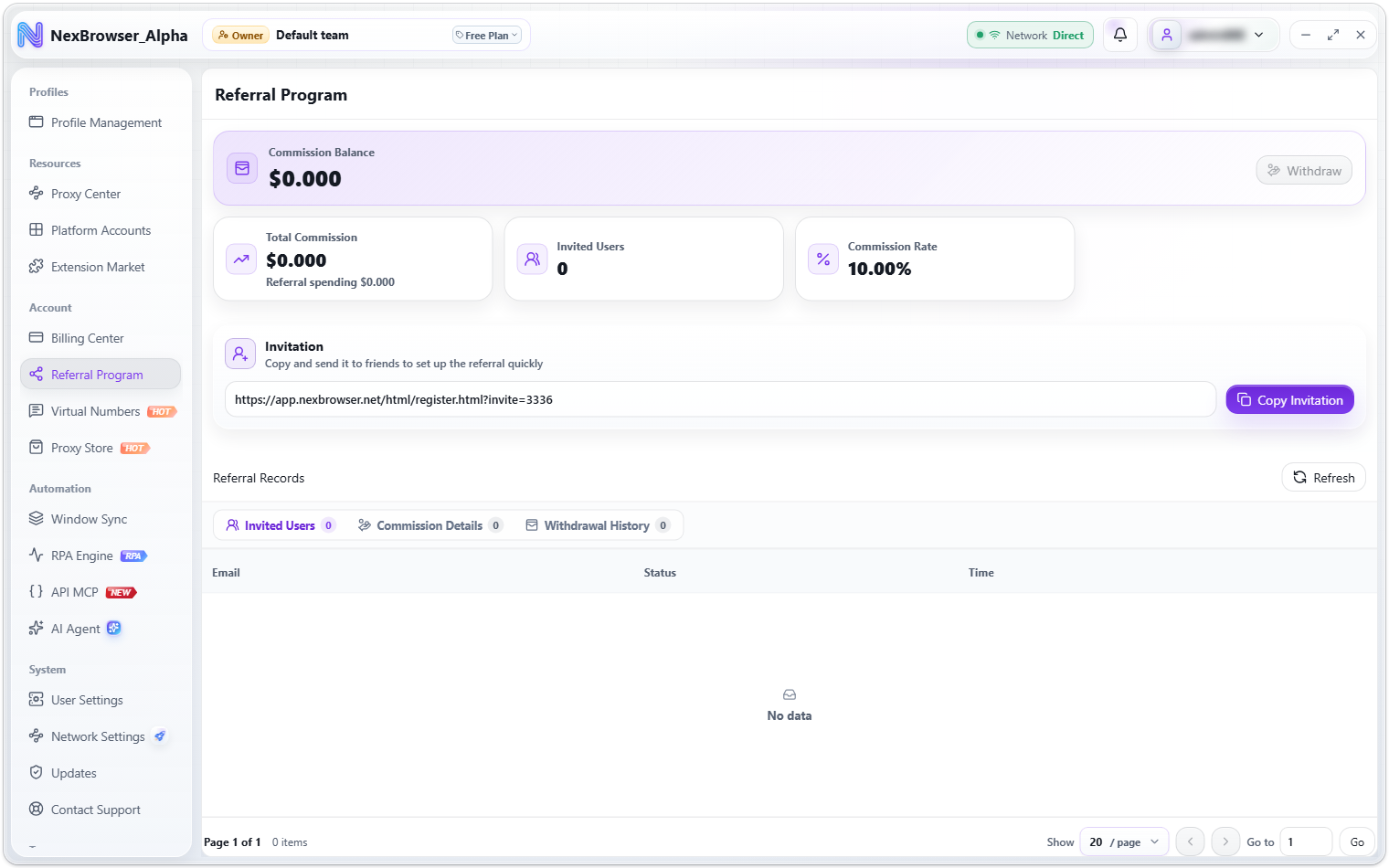
Open it from the sidebar: Account → Referral Program. The top of the page has four stat cards:
| Stat card | Description |
|---|---|
| Commission Balance | Commission you can withdraw now, with a "Withdraw" button |
| Total Commission | All commission you've ever earned, along with the "Referral spending" amount |
| Invited Users | How many users signed up through your invitation |
| Commission Rate | The share of referral spending that becomes your commission |
All amounts are in US dollars, to 3 decimal places.
Set up a referral
- In the "Invitation" panel, click "Copy Invitation". On success you'll see "Invitation copied". The panel description reads "Copy and send it to friends to set up the referral quickly".
- Send the invitation to your friend. It contains your personal sign-up link; when your friend opens the sign-up page through it, your invite code is linked to their registration automatically.
- Once your friend signs up, the referral relationship is set, and their later spending earns you commission at your "Commission Rate".
Only new accounts that sign up through your invitation become your referrals. Your friend doesn't need an email verification code to sign up but does need to pass the CAPTCHA.
Referral records (three kinds)
The "Referral Records" panel has three tabs, each with a count badge, and supports pagination and "Refresh":
| Tab | Table columns |
|---|---|
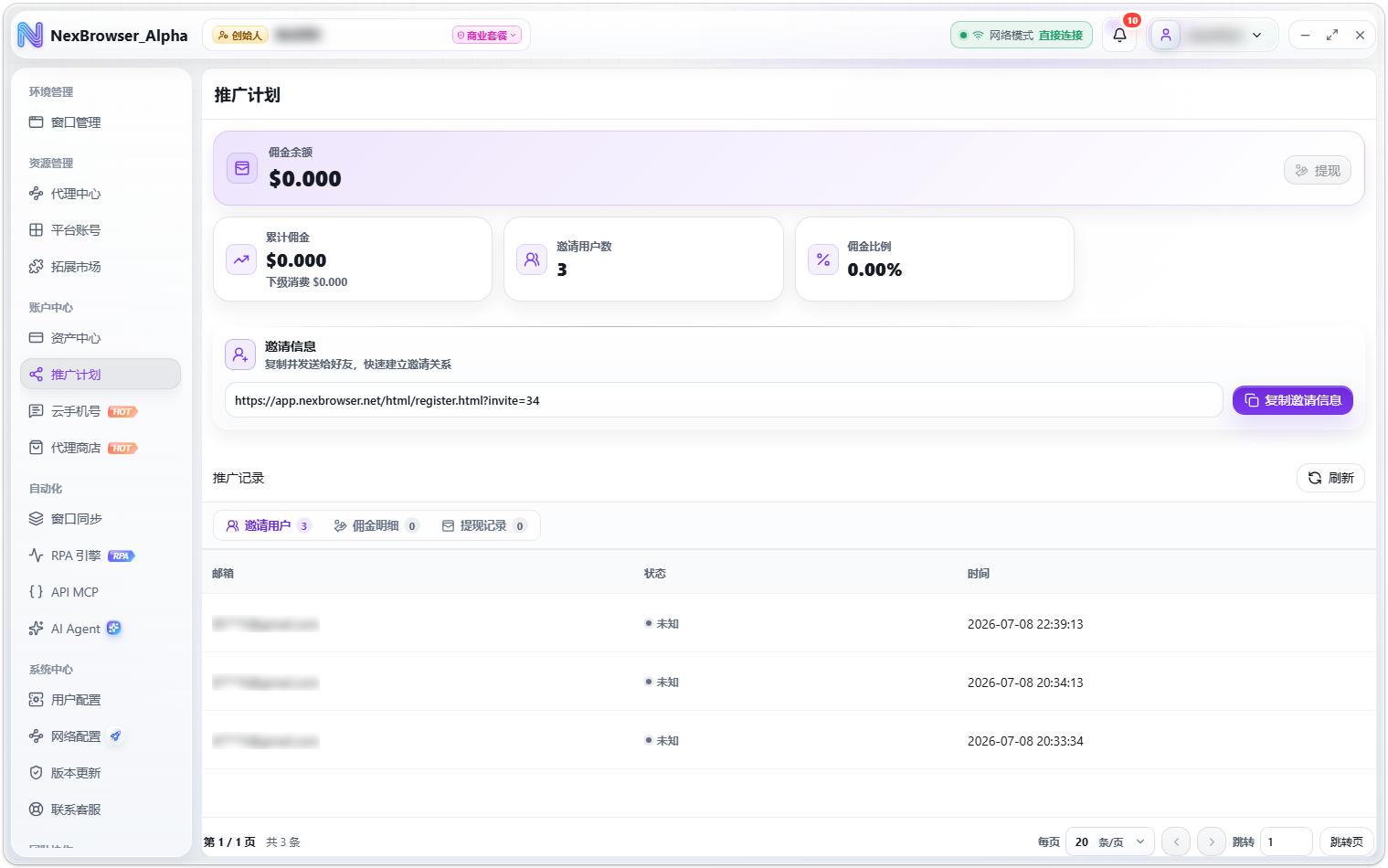
| Invited Users | Email, Status, Time |
| Commission Details | Source User, Amount, Status, Time |
| Withdrawal History | Amount, Status, Time |
Withdraw commission
Clicking "Withdraw" on the stat card takes you to the Billing Center and opens the "Withdraw Commission" dialog automatically. "Withdraw" is only available when your commission balance is above 0; with nothing to withdraw you'll see "No commission available to withdraw".
To withdraw:
- Enter the withdrawal amount. The minimum is
$10(below that you'll see "The minimum commission withdrawal is $10"), and it can't exceed your current commission balance ("Withdrawal amount cannot exceed your commission balance"). The bottom of the dialog shows "Available commission" live. - Enter the receiving wallet address; the placeholder reads "Enter a USDT-TRC20 receiving address".
- Click "Get Code" to receive an email verification code (a "Send Withdrawal Verification Code" CAPTCHA may appear). After the code is sent there's a
60-second cooldown, and the button shows "Retry in Ns". If your account has no email address, you'll see "This account has no email address, so a verification code cannot be sent". - Click "Submit Withdrawal", then check the amount, receiving address, and balance change in the "Confirm Commission Withdrawal" dialog.
- Click "Confirm Withdrawal". On success you'll see "Commission withdrawal request submitted".
Withdrawals only support USDT-TRC20 receiving addresses. Before submitting, check the receiving address carefully in the "Confirm Commission Withdrawal" dialog, and only click "Confirm Withdrawal" when it's correct.
Withdrawal statuses
| Status | Description |
|---|---|
| Pending | The request has been submitted and is waiting to be processed |
| Paid | The commission has been paid to the receiving address |
| Rejected | The request was rejected |
You can follow progress on the "Withdrawal History" tab, and the matching charge also appears in the asset records of the Billing Center.